







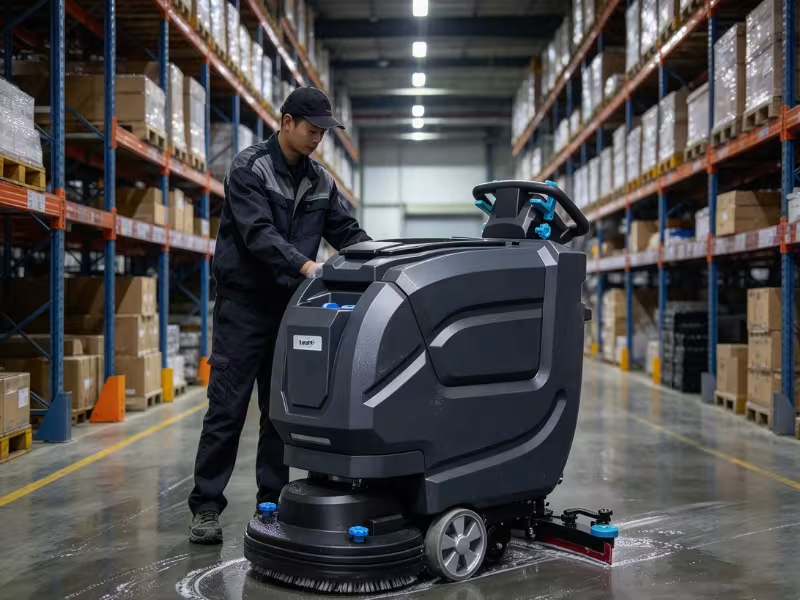
Your floor scrubber shuts down halfway through the night shift. Or it leaves wet stripes across the aisle. Or the battery quits an hour early. Facility teams run into these problems every week.
A quick fix matters. Wet floors cause slips and falls. A dead machine stalls your cleaning schedule. Your crew then grabs mops and burns paid labor hours.
Our team has serviced commercial scrubbers in warehouses, schools, and retail stores for years. Most failures trace back to a few simple causes. That’s good news for you.
This guide covers the 7 most common problems. You’ll learn what to check first, which fixes you can handle yourself, and when to call a technician or replace the machine.
What to Check Before You Start Troubleshooting
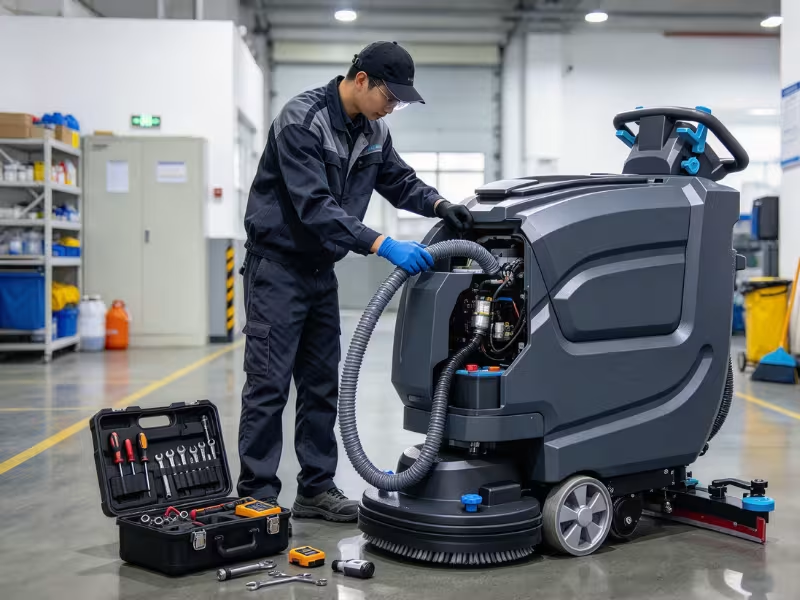
Before you touch a single hose, take two minutes to set up safely. Techs who skip this step often end up with a pinched hand or a fried controller.
- Power down first. Turn the key off and disconnect the battery pack. On corded models, unplug the cable from the wall outlet.
- Protect yourself. Wear nitrile gloves and safety glasses. Recovery tanks hold dirty water, and lead-acid batteries can splash acid.
- Grab basic tools. A screwdriver set, adjustable wrench, flashlight, and digital multimeter handle most jobs.
- Write down the model and serial number. You’ll usually find them on a plate near the battery bay or under the seat. Parts suppliers and technicians will ask for them first.
- Do a 60-second visual check. Walk around the machine. Look for loose wires, cracked hoses, a full recovery tank, or a worn squeegee. Many “breakdowns” end right here.
Common Floor Scrubber Problems at a Glance
When a machine acts up mid-shift, you need answers fast. Our service techs keep a cheat sheet like this in their vans. It matches each symptom to its most likely cause and the first thing worth checking. Scan it, find your problem, and start there before you dig deeper.
|
Symptom |
Likely Cause |
First Check |
|---|---|---|
|
Won’t start |
Low battery charge, corroded terminals, or an engaged emergency stop |
Check the charge meter, then reset the e-stop and key switch |
|
Not picking up water |
Worn squeegee blades, a clogged vacuum hose, or a full recovery tank |
Empty the recovery tank and flip or replace the squeegee blades |
|
Leaves streaks |
Wrong squeegee angle, too much chemical, or travel speed set too fast |
Adjust squeegee tilt and pressure, then cut back on detergent |
|
No solution flow |
Empty solution tank, a clogged filter, or hard-water scale in the nozzles |
Fill the tank and rinse the in-line solution filter |
|
Brushes not spinning |
String or debris wrapped around the spindle, or a brush that isn’t seated right |
Remove the brush, clear the hub, and reseat it firmly |
|
Moves slowly / pulls to one side |
Debris on the drive wheel, worn tires, or a dragging parking brake |
Inspect the wheels for debris and release the brake fully |
|
Battery dies too fast |
One weak battery in the pack, low electrolyte, or poor charging habits |
Test each battery’s voltage and check water levels on lead-acid units |
Problem 1: Floor Scrubber Won’t Start
A scrubber that won’t power on usually has a simple cause. Work from the easiest check to the hardest. Most crews find the problem by step two.
Start with the battery. Check the charge meter on the dash. If it reads low, give the machine a full charge cycle. Then look at the terminals. White or green crust blocks current. Scrub it off with baking soda, water, and a wire brush, then tighten the cables.
Reset the safety controls. Someone may have bumped the red emergency stop. Twist or pull it to release it. Next, turn the key fully to “on.” Many machines also use a seat switch or a tank-lid interlock. If the operator isn’t seated or a lid sits loose, the machine stays dead.
Inspect the cord on plug-in models. Look for cuts, crushed spots, or bent prongs. Test the wall outlet with another tool before you blame the scrubber.
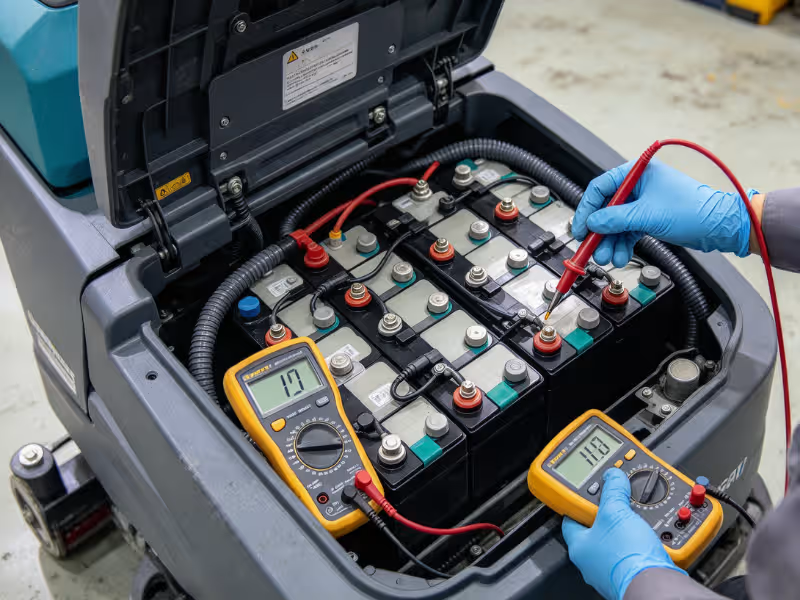
Hunt for one weak battery. A 36-volt pack often uses six 6-volt batteries. One bad unit can drag down the whole pack. After a full charge, test each battery with a multimeter. A healthy 6-volt battery reads about 6.3 volts. If one reads well below the rest, you’ve found your problem.
When It Stops Being a Quick Fix
Sometimes you run through every step and still get nothing. Call a technician if the display shows an error code, a fuse keeps blowing, or the machine clicks but won’t run. These signs point to a controller, contactor, or wiring fault.
Problem 2: Floor Scrubber Not Picking Up Water
A floor scrubber not picking up water is the most common complaint we hear. It’s also the riskiest one, because that wet trail behind the machine invites slips and falls. Luckily, the fix usually takes minutes and costs very little.
Work through these four checks in order, from most likely to least likely.
1. Look at the squeegee blades. Kneel down and study the rear blade. A healthy edge looks sharp and square. If it looks rounded, nicked, or torn, water slides right under it. Most blades have four usable edges, so flip or rotate yours to a fresh one. Once you’ve used up every edge, replace the blade. Busy sites often swap blades every few months.
2. Clear the vacuum hose. Pull the hose off at both the squeegee end and the tank end. Shine a flashlight through it or run water from a garden hose. If water backs up, you have a clog. Flush it out with water pressure or a long, blunt rod. Never use anything sharp that could puncture the hose. While you’re there, check the squeegee inlet. Pad fibers and zip ties love to hide there. Also look for cracks, because a split hose bleeds suction.
3. Empty the recovery tank. Most scrubbers use a float shutoff inside the recovery tank. When dirty water reaches the top, the float rises and cuts suction to protect the vacuum motor. Empty the tank, rinse the float cage, and make sure the ball moves freely. Heavy foam can trip the float early, so add defoamer if you see suds.
4. Inspect the tank seal. Your vacuum needs an airtight tank to work. Check the rubber gasket around the lid. Cracks, flat spots, or grit on the seal let air leak in, and suction drops fast. Wipe the gasket clean every shift, and replace it if it stays flat or torn.
Still getting weak pickup after all four checks? Your vacuum motor may be failing, and a technician should take it from there.
Problem 3: Floor Scrubber Leaving Streaks or Wet Floors
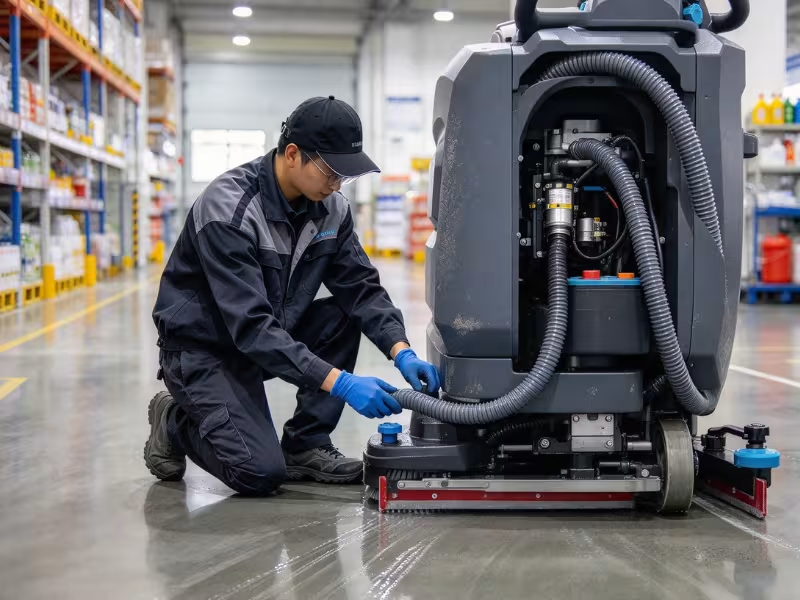
This problem differs from a pickup failure. Your machine still pulls up most of the water, but the floor dries with streaks, hazy patches, or thin wet lines. In most service calls for this issue, the cause sits in the machine’s settings or supplies, not in a broken part.
Fine-tune the squeegee angle and pressure. Watch the rear blade as the machine moves. It should flex back slightly and evenly along its full length. If one end lifts, you’ll see a wet stripe on that side. Use the tilt knob to level the blade. Too much pressure can cause chatter and skipping, so aim for light, even contact.
Slow down. Rushed operators often outrun the vacuum. Water spreads faster than the squeegee can collect it. A steady walking pace gives the brushes and vacuum time to do their jobs.
Cut back on chemical. More soap does not mean cleaner floors. Excess detergent leaves a sticky film that dries into streaks and pulls in dirt. Measure your dilution every time. If haze has already built up, run one pass with clean water only.
Match the pad or brush to the floor. A stiff grit brush on sealed VCT can leave swirl marks. A soft pad on rough concrete glides over grime without lifting it. Confirm the floor type before you start a new area.
Glance at the casters. A worn or stuck squeegee caster can tilt the assembly and leave a trail. Spin each wheel by hand. If it wobbles or drags, replace it.
Problem 4: No Cleaning Solution or Weak Water Flow
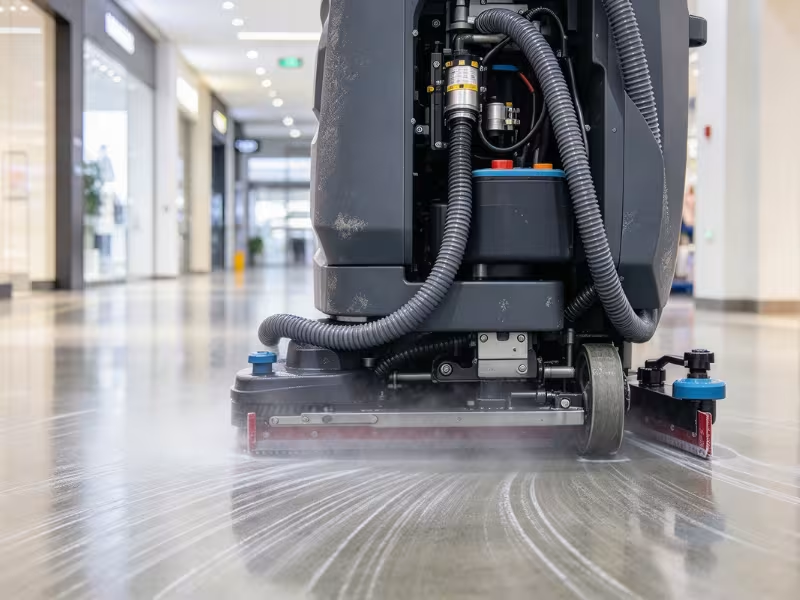
When solution stops reaching the floor, your scrubber just pushes dirt around. You’ll often hear the brushes squeal on a dry surface. Start with the simplest check and work inward.
Check the tank level first. It sounds obvious, but empty tanks cause more of these calls than you’d guess. Sight tubes stain over time and can look full when they aren’t. Open the lid and look inside.
Rinse the solution filter. Most machines have an in-line filter below the solution tank. Close the shutoff valve, unscrew the filter bowl, and pull out the screen. Rinse it under warm water until light shines through the mesh. A clogged screen can cut flow to a trickle.
Clear the nozzles or spray bar. Remove the nozzles and soak them in white vinegar for 30 minutes. Then scrub them with a soft nylon brush. Skip metal pins, because they widen the openings and ruin the spray pattern.
Stop Hard Water Scale Before It Starts
Crews fight scale over and over, yet a few habits keep it in check.
Hard water leaves chalky mineral deposits inside nozzles, filters, and tubing. Drain and rinse the solution tank after every shift, and never leave mixed solution sitting overnight. Once a month, run a vinegar-and-water flush through the whole system. If your site has very hard water, fill the tank with softened or filtered water.
Know when to call for help. If flow stays weak after these steps, a failing solenoid valve or a kinked tube may be the culprit. A technician can test both quickly.
Problem 5: Brushes or Pads Won’t Spin Properly
When brushes stall, slow down, or spin unevenly, your scrubber stops scrubbing. You’ll notice dull lanes, grinding noises, or a hot rubber smell. Check these causes in order. The first two solve most cases.
Clear the spindle. Power down and remove the brush or pad driver. Flip it over and study the hub. String, plastic strapping, zip ties, and hair wrap tightly around the spindle and choke it. Cut them away with a utility knife, blade pointed away from you. In warehouses, shrink wrap shows up there almost every time.
Reseat the brush. A crooked brush will wobble, slip, or drop off mid-pass. Line up the drive lugs with the hub slots. Push up and twist until it locks with a firm click. Spin it by hand to confirm it sits flat.
When the Problem Runs Deeper
Your hub looks clean and the brush sits tight, but it still won’t spin right. Now the cause likely lives in the drive system or the power supply.
Inspect the belt or coupling. Some models drive the brushes with a belt. Look for cracks, a shiny glazed surface, or slack. On direct-drive units, check the rubber coupling for splits or wear. Both parts cost little to replace.
Check battery voltage. Brush motors pull a lot of power. A weak pack may turn the brush, but too slowly to clean. Charge fully and test again. If the motor still runs slow or the breaker keeps tripping, have a technician test the motor.
Problem 6: Machine Moves Slowly, Pulls to One Side, or Won’t Drive Properly
A scrubber that crawls or drifts tires out your operator and leaves uneven cleaning lanes. Most drive complaints come down to something stuck, worn, or switched on by mistake.
Clear the drive wheels. Power down, lift the machine safely, and spin each wheel by hand. Shrink wrap, wire, and pallet splinters wrap around axles and add drag. One jammed wheel will pull the machine toward that side.
Compare tire wear. Check both drive tires side by side. Flat spots, chunked tread, or one tire smaller than the other cause steady pulling. Glazed tires also slip on wet floors. Replace drive tires as a pair.
Check traction and speed settings. Many models offer a traction or ramp mode that caps speed. Some also slow down in scrub mode or when the battery runs low. Check the dash before you assume a fault.
Release the parking brake fully. A brake that drags even slightly makes the motor strain. After a short run, feel each wheel hub. A hot hub points to brake drag, so adjust the cable or linkage per your manual.
When the Drive System Is the Real Problem
Sometimes the wheels, tires, and brake all check out. That usually means the trouble sits deeper inside the machine.
On self-propelled models, listen for grinding from the transaxle or a drive motor that hums but won’t move. Watch for error codes, too. Stop here and call a technician. Drive motors, controllers, and gearboxes need proper diagnostic tools.
Problem 7: Battery Drains Too Fast or Won’t Hold a Charge
Battery complaints cost facilities more than almost any other issue. A scrubber that dies mid-shift leaves floors half done. A pack that fails early can also mean a big replacement bill.
Know what your battery type can handle. Flooded lead-acid batteries usually last three to five years with good care. AGM batteries skip the watering but often wear out a bit sooner. Lithium packs can run 2,000 or more cycles and often outlast the machine. If your lead-acid pack hits year four, expect shorter runtimes.
Find the weak link. Batteries in a pack work as a team, so one tired unit drags down the rest. The charger then overworks the good batteries to make up for it. After a full charge, test each battery with a multimeter. A 6-volt unit that reads 0.2 volts or more below its neighbors needs attention.
Water lead-acid batteries after charging. Electrolyte expands as the battery charges. If you top off first, acid can bubble over and corrode your battery tray. Add distilled water after the charge ends, about ¼ inch above the plates. If the plates show before charging, add only enough water to cover them.
Fix your charging habits. Short top-up charges slowly ruin lead-acid batteries, so let each charge finish. Older chargers without auto shutoff can overcharge and cook the cells. Always match the charger profile to your battery type. An AGM pack on a flooded-battery setting won’t last long.
Signs It’s Time to Replace the Pack
Troubleshooting only pays off up to a point. At some stage, a new pack saves you more time and money than another round of testing.
Replace the pack when you see:
- Runtime below half of what it delivered when new
- Two or more batteries that test weak after a full charge
- Swollen, cracked, or leaking cases
- Batteries that get hot during charging
Replace the whole set at once. A new battery wired into an old pack wears down quickly.
When Troubleshooting Is No Longer Enough
Basic checks solve most scrubber problems. But some machines send clear signals that the trouble runs deeper than a clog or a worn blade.
Pay attention when the same system keeps failing. If you’ve cleared the vacuum hose three times this month, something upstream is wrong. The same goes for a symptom that returns days after a proper fix. That pattern usually means the part you replaced was a victim, not the cause.
Stop right away if you smell hot plastic or burning wires, or if a motor housing feels too hot to touch. Park the machine until a technician inspects it. Electrical faults can ruin motors fast and create a fire risk.
Watch for several systems failing at once, too. Weak suction, slow brushes, and a sluggish drive together often point to a failing controller or tired wiring.
Then check your service log. If the scrubber spends more time waiting for repairs than cleaning floors, the question is no longer how to fix it. It’s whether you should keep it at all.
Preventive Maintenance That Actually Reduces Downtime
Most of the problems above get rarer when your crew follows a short, steady routine. A 40-item checklist rarely survives past week two. These are the tasks that keep machines running.
|
Daily |
Weekly |
Monthly |
|---|---|---|
|
Drain and rinse both tanks. Dirty water left overnight breeds odor and gums up the float. |
Clean the solution filter. Rinse the screen until light passes through the mesh. |
Grease the lube points. Hit the pivots, casters, and squeegee linkage listed in your manual. |
|
Wipe the squeegee blades. Remove grit and check the edge for nicks or rounding. |
Inspect the vacuum hose. Look for clogs, cracks, and loose clamps. |
Tighten loose hardware. Vibration works bolts free on brush decks and squeegee mounts. |
|
Check brushes and pads. Pull off wrapped debris and flip or swap worn pads. |
Check wheels and tires. Clear debris from axles and compare tread wear side to side. |
Flush the solution system. Run a vinegar-and-water mix through it to break up hard-water scale. |
|
Charge fully after each shift. Plug in and let the charger finish its cycle. |
Water lead-acid batteries. Top off with distilled water after charging, never before. |
Review the maintenance log. Spot repeat repairs before they turn into breakdowns. |
The daily jobs take about ten minutes at the end of a shift. Assign them to the operator by name, not to “whoever’s free.” Post this table near the charging station so nobody has to guess.
Sites that keep a simple log and stick to these steps see far fewer surprise breakdowns. That log also gives you real numbers when you face the repair-or-replace decision.
Repair or Replace an Aging Floor Scrubber?
Every scrubber reaches a point where fixing it costs more than it saves. Before you approve another repair ticket, run through a few hard numbers.
Run the 50% test. Price the repair, then compare it with a similar new commercial floor scrubber. If the repair costs more than half of the replacement price, replacing the machine usually makes more sense. A $4,000 drive motor job on a scrubber that costs $7,500 new rarely pays off.
Weigh age, hours, and breakdowns together. One number alone can mislead you. A six-year-old walk-behind with low hours may still have years left. A ride-on with thousands of hard hours that breaks down every month probably doesn’t. Three or more major repairs in 12 months is a strong signal to replace it.
Ask about parts. Call your dealer before you commit. Once a manufacturer discontinues a model, parts get scarce and lead times can stretch to weeks. A repair you then wait a month for is a poor deal.
Count What Downtime Really Costs
Repair invoices only tell half the story. The bigger expense often hides in lost cleaning time.
When the scrubber sits idle, your crew mops by hand. On a large floor, that can double or triple labor hours. Add rental fees, and a “cheap” repair grows fast.
A newer machine sized for your space also pays you back. Wider cleaning paths, lithium batteries, and smarter water controls let one operator cover more floor per shift. Pull out your maintenance log and compare those gains against what you spent on repairs last year.
Choosing the Right Scrubber for the Job Can Prevent Repeat Problems
Some scrubbers keep breaking down because they’re doing the wrong job. Many sites fix the same battery or suction problem three times when the real issue is the machine itself.
An undersized scrubber in a large warehouse works overtime every shift. Put a 20-inch walk-behind on 100,000 square feet, and it drains its battery, overheats its motors, and chews through squeegee blades. Your crew then reports “weak suction” or “short runtime,” but the machine simply can’t keep up.
So how do you know you have the right fit? Start with your floor size and layout.
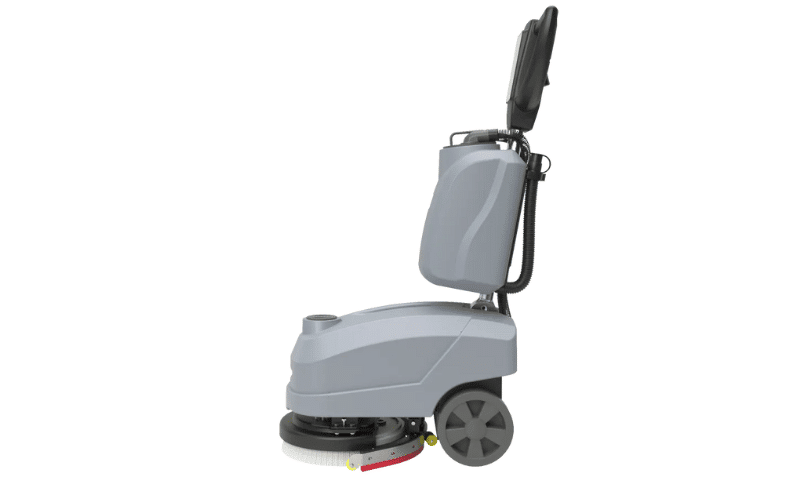
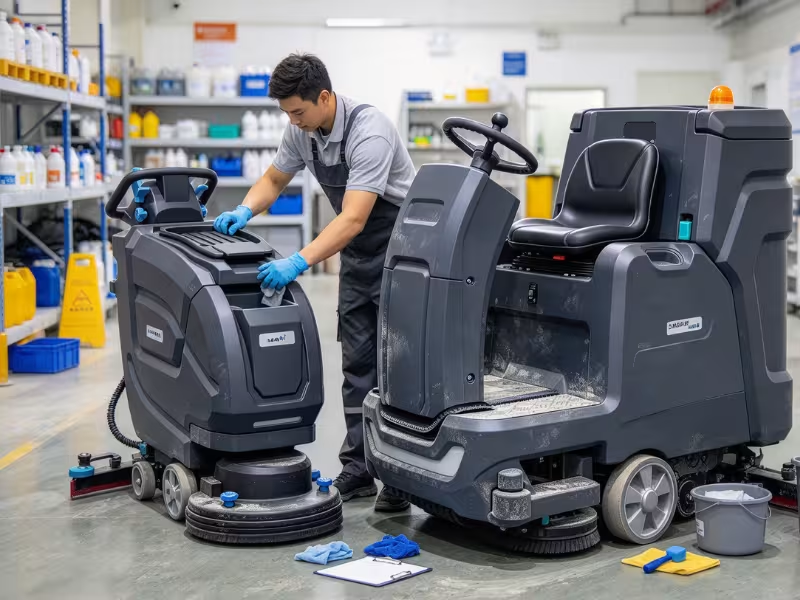
Compact walk-behind floor scrubbers suit tight spaces like restrooms, classrooms, retail aisles, and small offices. They turn easily and cost less. Once you clean more than about 20,000 to 30,000 square feet per shift, a ride-on floor scrubber usually pays off. It covers more ground, carries bigger tanks, and spares your operator a long walk.
Facility type shapes the choice too. Warehouses with forklift traffic need heavy-duty brushes and large recovery tanks. Schools and hospitals need quiet, compact machines for daytime cleaning. Food plants need units that handle grease and frequent wash-downs.
Does your service log show the same complaints month after month? Review the machine before you order another part.
Frequently Asked Questions
Why is my floor scrubber leaving water behind?
Worn squeegee blades cause this more than anything else. Check the rear blade edge. If it looks rounded or torn, flip it to a fresh edge or replace it. Next, empty the recovery tank, since a full tank trips the float and cuts suction. Then look for a clogged hose or a squeegee tilted unevenly. Slow your travel speed.
Why does my floor scrubber have no suction?
Start with the recovery tank. If it’s full or foamy, the float shuts off suction to protect the vacuum motor. Empty it and add defoamer. Next, pull the vacuum hose and flush out any clog. Then check the lid gasket for cracks or grit, because one small air leak kills suction. If all three pass, have a technician test the vacuum motor.
Why won’t my floor scrubber brushes spin?
Debris wrapped around the spindle is the most common cause. String, shrink wrap, and zip ties choke the hub fast. Power down, remove the brush, and cut the debris away. Then reseat the brush until it clicks into place. If it still stalls, inspect the drive belt or coupling and fully charge the battery. A low pack often turns brushes too slowly to clean.
How long should a commercial floor scrubber battery last?
Flooded lead-acid batteries usually last three to five years with proper watering and full charge cycles. AGM batteries need no watering but often wear out a little sooner. Lithium packs can deliver 2,000 or more cycles and often outlast the machine. Short top-up charges, skipped watering, and one weak battery in the pack all cut those numbers fast.
Is it better to repair or replace an old floor scrubber?
Start with the 50% rule. If a repair costs more than half the price of a comparable new machine, replace it. Also replace it if you’ve had three or more major repairs in a year, parts take weeks to arrive, or downtime keeps forcing your crew to mop by hand. A low-hour machine with one fixable fault usually deserves the repair.
Start Simple, Stay Consistent
Most scrubber breakdowns don’t need a technician. They start in three places: worn parts, clogs, and battery condition. Check the squeegee blades, hoses, filters, and battery pack first. You’ll solve the majority of problems before you ever pick up the phone.
A steady maintenance routine saves far more money than reactive repairs. Ten minutes at the end of each shift costs less than one lost night of cleaning or a rush service call.
If your machine keeps breaking down or struggles to cover your floor, look past the parts. You may have the wrong scrubber for the job. The right fit means fewer repairs and cleaner floors.